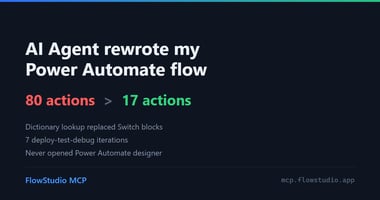
昨天我在 Reddit 的 r/PowerAutomate 看到一篇貼文。 是一個一人公司的老闆發的。他手上同時有 50 個案子在跑,用...
我最近最愛的 Power Apps Canvas App 做法,是用 Codex 搭配 FlowStudio MCP,再加上瀏覽器。Agent 用 MCP server 改 App,檢查實際的 App 長什麼樣子,再繼續調整。
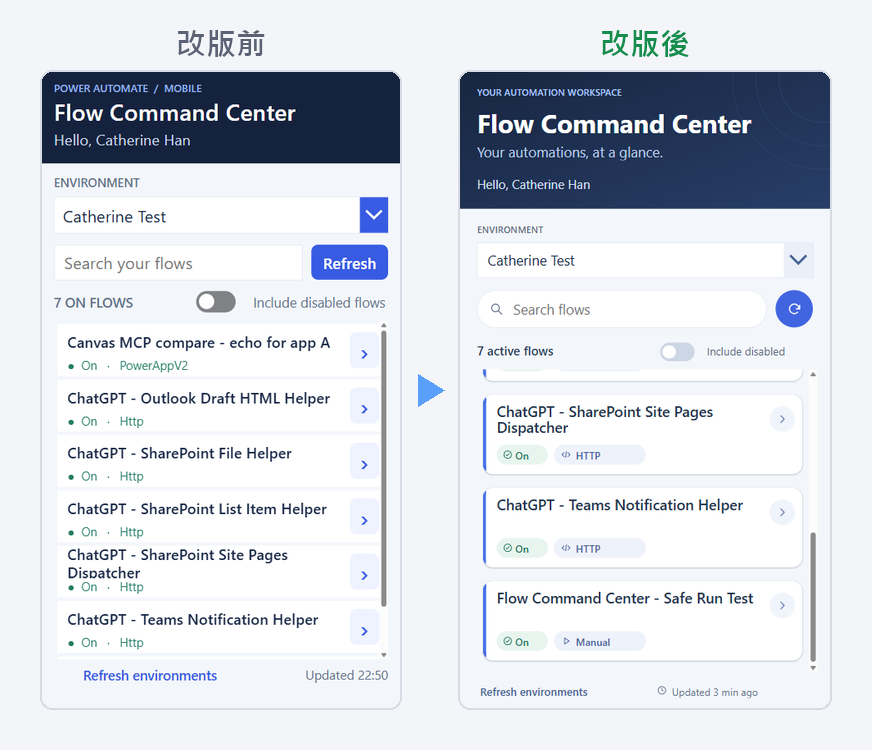
圖:Flow Command Center 改版前後
這個 App
Flow Command Center 是 Agent 幫我做的 App。它會列出一個環境裡的 Flow,顯示每個 Flow 有沒有開、是怎麼觸發的,也可以讓我直接執行。
Codex 還特別提到,這個 App 是透過自己的連線直接跟 Microsoft 拿資料,所以顯示資料的時候不需要 FlowStudio MCP。
我給 Codex 的要求
10 月 30 日我這樣問 Codex(原文是英文,截圖裡看得到):
我想讓它看起來更好看,可以幫我:
- 卡片左邊加上真正的強調色邊
- 把文字標籤換成圖示 + 膠囊形標籤
- 把字級調好
- 改善卡片的形狀和陰影
- 把 header 做成真正的主視覺
- 搜尋框改成膠囊形,裡面加上放大鏡圖示;「Refresh」改成旁邊一樣高的圓形純圖示按鈕
- 修好文字被截斷的地方
- 「Updated 22:50」改成「Updated just now」/「2 min ago」,加一個小小的時鐘圖示
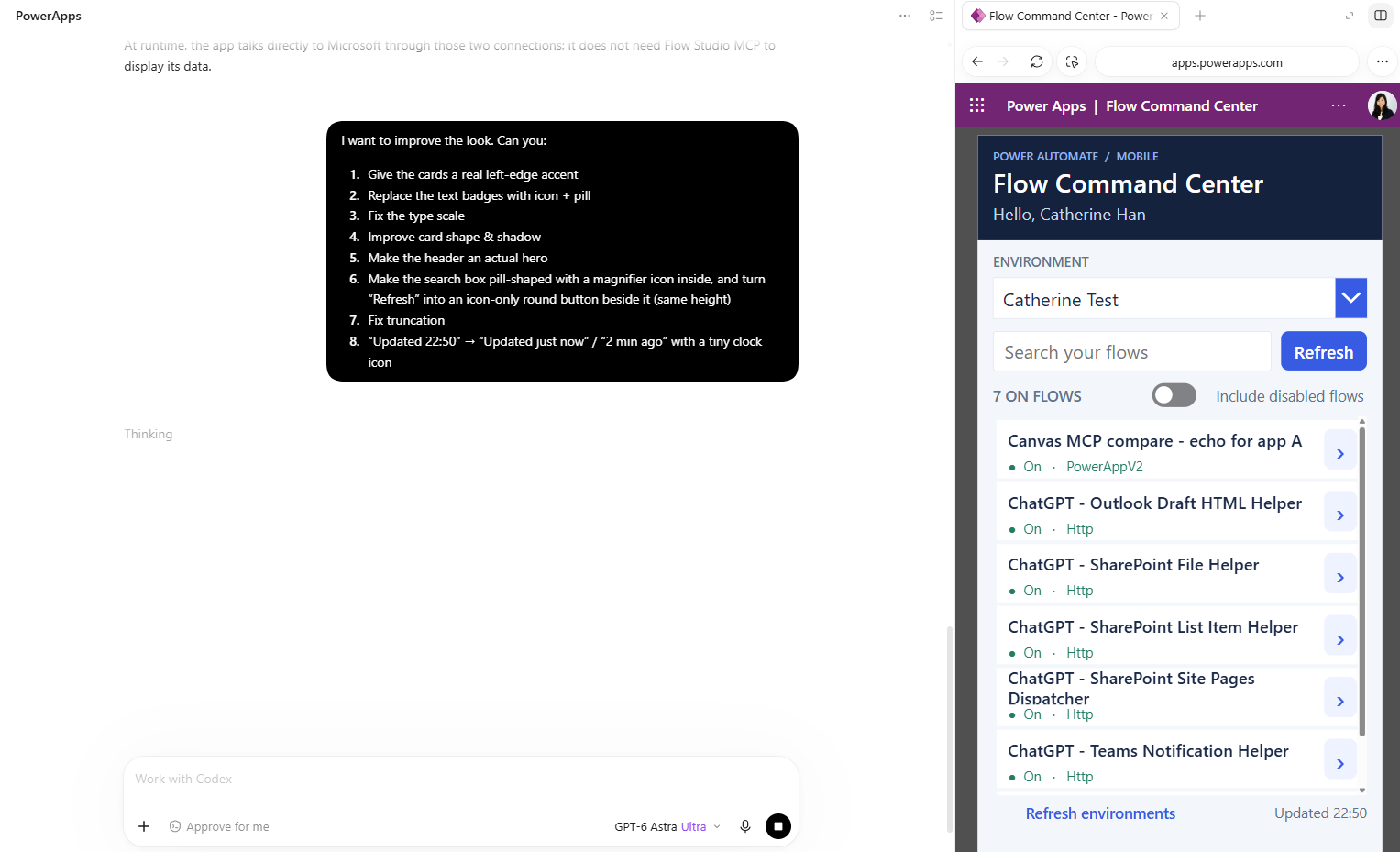
圖:在 Codex 裡提出要求,右邊的瀏覽器面板開著 App
結果
Codex 做了 21 分 56 秒,然後回我(一樣是英文,這裡翻成中文):
新設計已經發佈,App 也開著:卡片加了強調色、圓角和陰影,圖示膠囊標籤,更鮮明的字體層次和主視覺,膠囊形搜尋框、圓形重新整理按鈕、會換行的標題,還有即時更新的相對時間。
我在瀏覽器裡確認過搜尋、重新整理、篩選、詳細資料頁面和時間更新都正常。
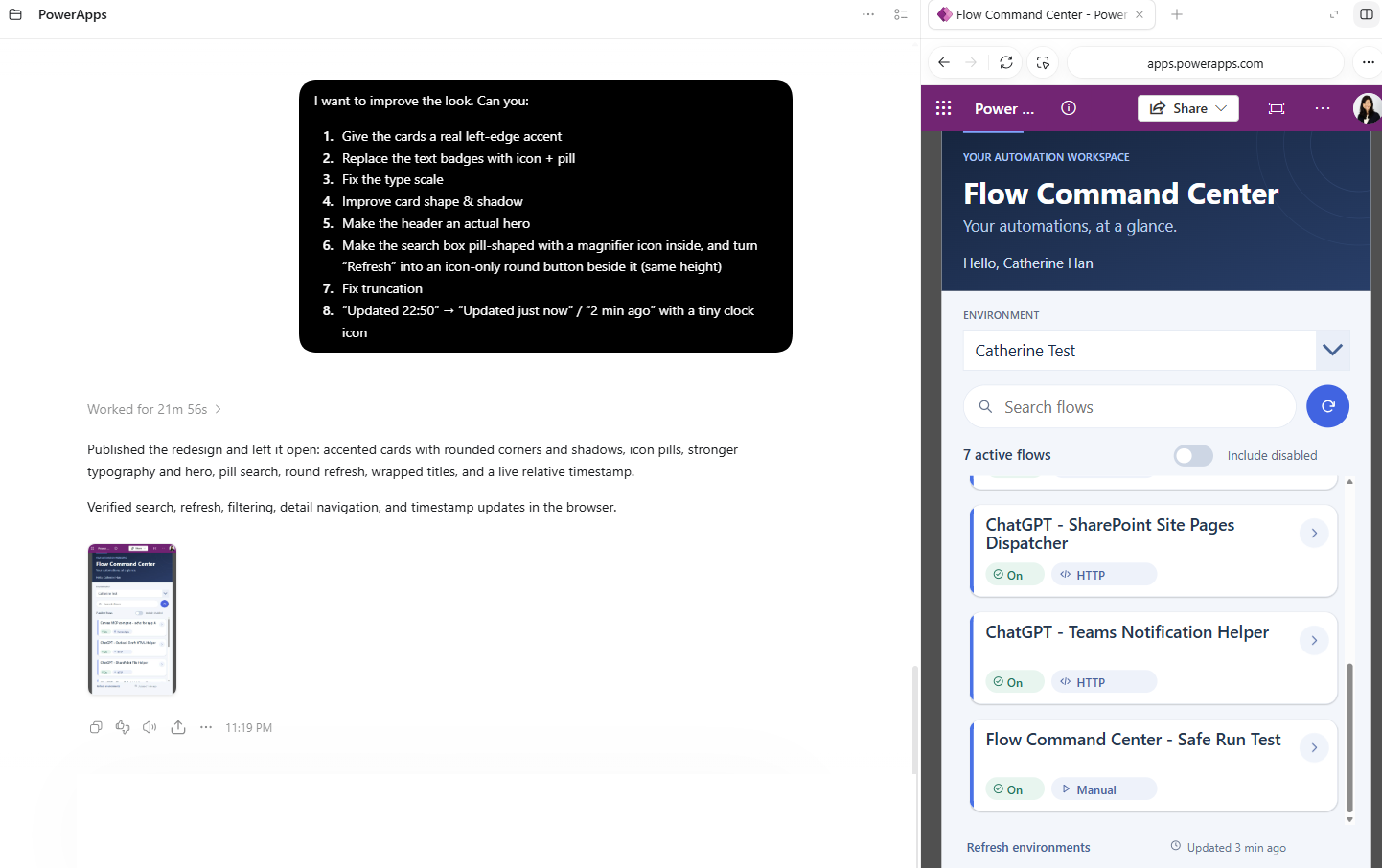
圖:同一個瀏覽器面板裡,改完之後的 App
為什麼瀏覽器這一步很重要
FlowStudio MCP 的 canvas 工具可以讓 Agent 打開 App,讀畫面、控制項和 Power Fx 公式,修改之後存成草稿。但這些工具沒辦法讓 Agent 看到 App 實際跑起來的樣子,瀏覽器可以。
Codex 把 App 開在對話旁邊的面板,所以它可以用 FlowStudio MCP 改完,馬上看結果。在跟我說完成之前,它還自己測了搜尋、重新整理、篩選,還有打開 Flow 的詳細資料。
這是我自己的測試 App,所以 Codex 直接幫我發佈了。Canvas 工具一定會先存成草稿。如果是別人也在用的 App,記得請 Agent 停在草稿,你自己檢查完再發佈。
在你自己的 App 上試試看
先把 Codex 連上,步驟在 OpenAI Codex for Power Automate。ChatGPT 和 Claude 也能連上 FlowStudio MCP:Add FlowStudio to ChatGPT or Claude。
然後把下面這段貼給它,中括號裡換成你自己的名稱(這段 prompt 我們是用英文測的,所以保留英文):
Improve the look of the [screen name] screen of [app name] in [environment name]: round the gallery cards and give them a soft shadow, colour each card's left edge by [status column], show [status column] as a coloured pill instead of plain text, and make sure no text is cut off. Save it as a draft and show me what changed.
這段 prompt 是從我上面的清單精簡出來的,留下大部分 App 都用得上的修改。我們測試的時候,它用了 9 次 MCP 呼叫。
每個修改都會先存成草稿,發佈之前沒有人會看到。想多了解 canvas 工具:Edit Power Apps canvas apps with your AI agent。
Catherine Han, FlowStudio
OpenAI, ChatGPT and Codex are trademarks of OpenAI. Claude is a trademark of Anthropic. Microsoft, Power Apps, Power Automate and Power Platform are trademarks of the Microsoft group of companies. FlowStudio is not affiliated with or endorsed by these companies; names are used for identification only.