A failed flow sends an HTTP trigger. A Copilot Studio agent reads the run history, produces a...
My favourite way to build Power Apps canvas apps right now is Codex with FlowStudio MCP and a browser. The agent uses the MCP server to make the changes, inspects how the actual app looks, then refines it.
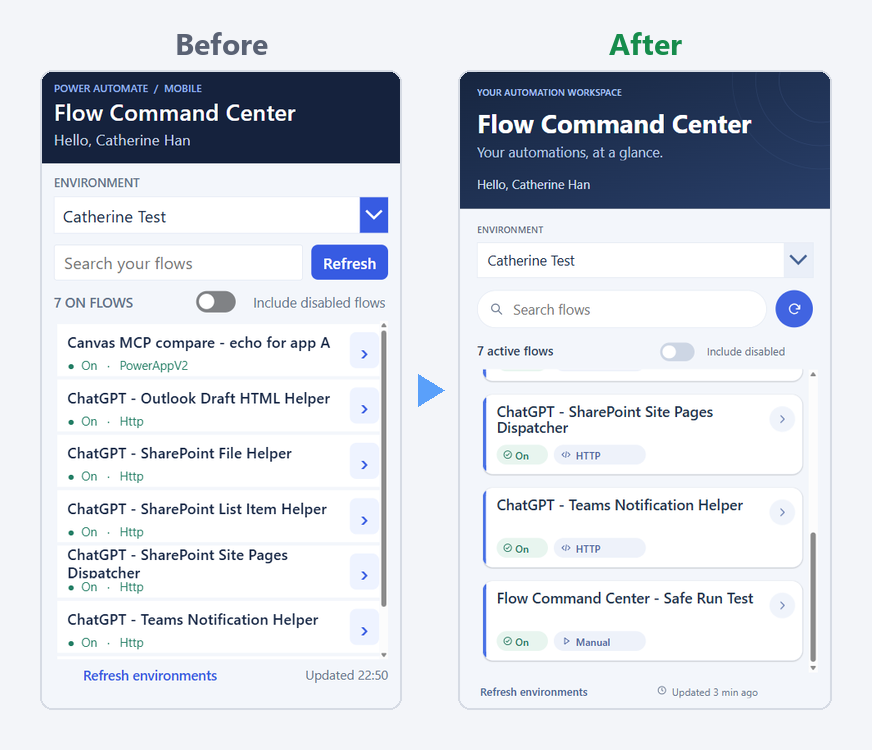
Figure: Flow Command Center before and after the redesign
The app
Flow Command Center is an app an agent built for me. It lists the flows in an environment, shows whether each one is on and how it starts, and lets me run them.
Codex pointed out that the app talks to Microsoft directly through its own connections, so it doesn't need FlowStudio MCP to show its data.
What I asked for
On 30 October I asked Codex:
I want to improve the look. Can you:
- Give the cards a real left-edge accent
- Replace the text badges with icon + pill
- Fix the type scale
- Improve card shape & shadow
- Make the header an actual hero
- Make the search box pill-shaped with a magnifier icon inside, and turn "Refresh" into an icon-only round button beside it (same height)
- Fix truncation
- "Updated 22:50" → "Updated just now" / "2 min ago" with a tiny clock icon
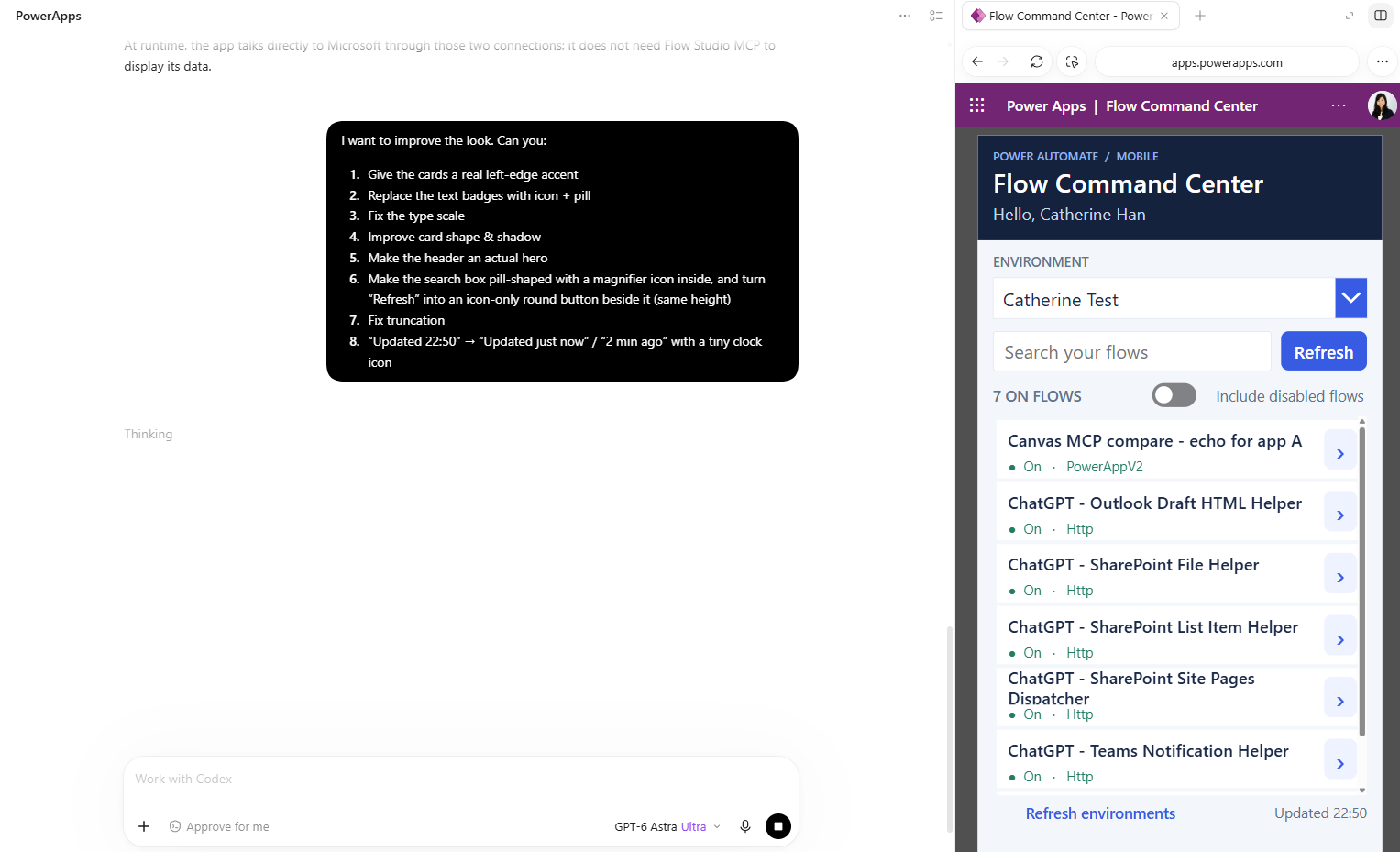
Figure: The request in Codex, with the app open in the browser panel on the right
What came back
Codex worked for 21 minutes and 56 seconds, then replied:
Published the redesign and left it open: accented cards with rounded corners and shadows, icon pills, stronger typography and hero, pill search, round refresh, wrapped titles, and a live relative timestamp.
Verified search, refresh, filtering, detail navigation, and timestamp updates in the browser.
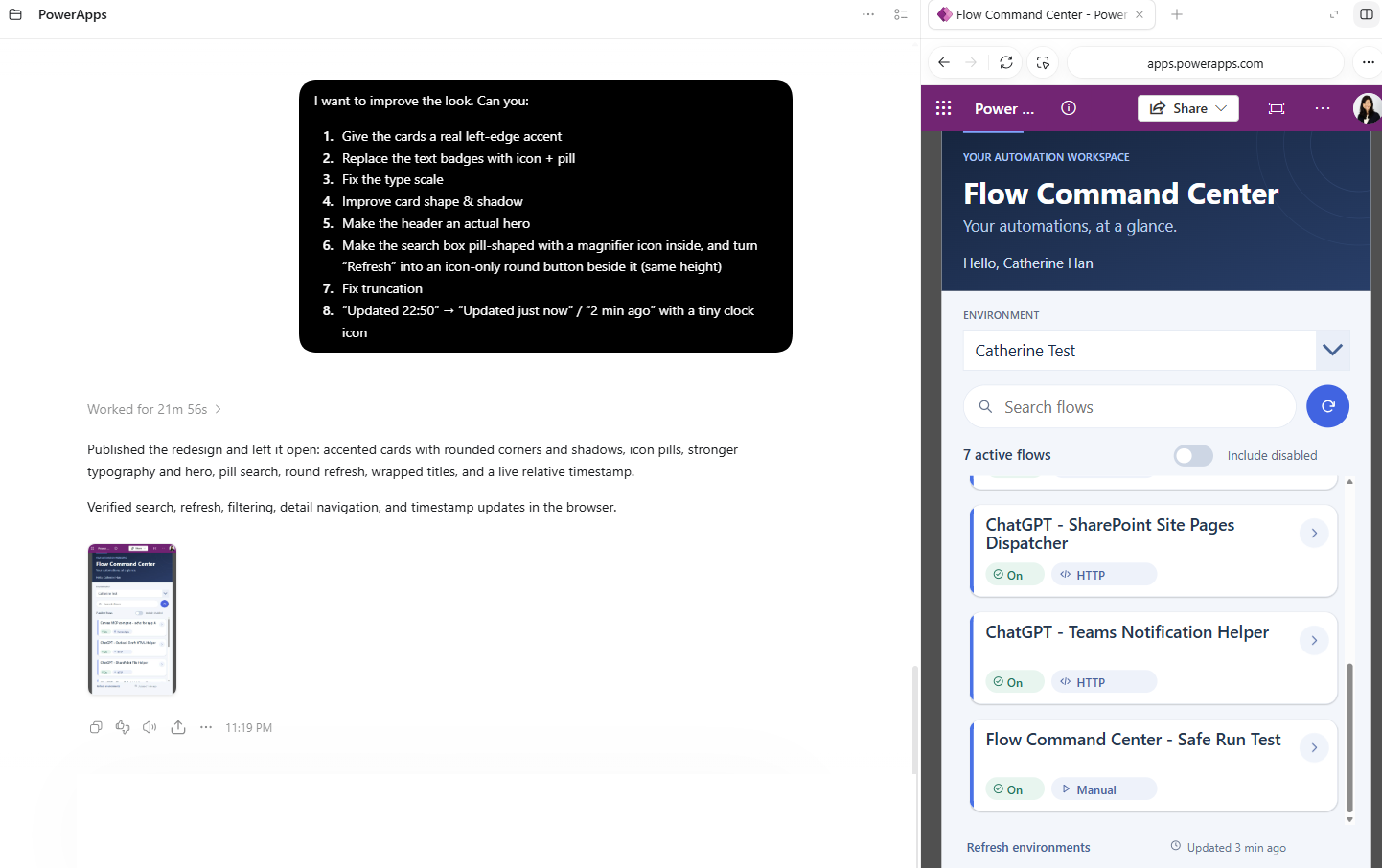
Figure: The redesigned app in the same browser panel
Why the browser part matters
FlowStudio MCP's canvas tools let an agent open an app, read its screens, controls and Power Fx formulas, change them and save a draft. They don't show the agent what the app looks like when it runs. The browser does.
Codex had the app open in a panel next to the chat, so it could make a change through FlowStudio MCP and look at the result. Before it told me it was done, it tried search, refresh, filtering and opening a flow's details.
This is my own test app, so Codex published the redesign itself. The canvas tools always save a draft first. On an app other people use, ask the agent to stop at the draft and publish it yourself once you've checked it.
Try it on one of your apps
Connect Codex first. The steps are on OpenAI Codex for Power Automate. ChatGPT and Claude connect to FlowStudio MCP too: Add FlowStudio to ChatGPT or Claude.
Then give it this, with your own names in the brackets:
Improve the look of the [screen name] screen of [app name] in [environment name]: round the gallery cards and give them a soft shadow, colour each card's left edge by [status column], show [status column] as a coloured pill instead of plain text, and make sure no text is cut off. Save it as a draft and show me what changed.
That prompt is my list above, cut down to the changes that fit most apps. In our tests it took 9 MCP calls.
Every change is saved as a draft, so nobody sees it until you publish. More on the canvas tools: Edit Power Apps canvas apps with your AI agent.
Catherine Han, FlowStudio
OpenAI, ChatGPT and Codex are trademarks of OpenAI. Claude is a trademark of Anthropic. Microsoft, Power Apps, Power Automate and Power Platform are trademarks of the Microsoft group of companies. FlowStudio is not affiliated with or endorsed by these companies; names are used for identification only.