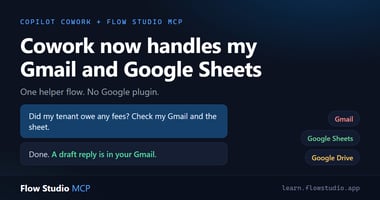
TL;DR: Microsoft Copilot Cowork has no Gmail or Google Sheets plugin. With the FlowStudio MCP...
TL;DR: Microsoft Copilot Cowork (Microsoft's agent workspace in Microsoft 365, not Anthropic's Claude Cowork) speaks MCP, but every external system needs its own packaged plugin, marketplace-validated or admin-deployed, and the third-party list is short today. With the FlowStudio MCP plugin, Cowork takes a different route: it builds a Power Automate helper flow and acts through it. Power Automate has over 1,000 connectors, so one plugin gives Cowork a path to Salesforce, ServiceNow, SAP, Jira Cloud, Stripe, custom HTTP APIs, and on-prem systems. Every run lands in run history with action-level inputs and outputs.
Having a lot of fun testing Copilot Cowork with the FlowStudio MCP plugin for Power Automate.
The interesting part is not just that Cowork can call an MCP server.
It is that Cowork can use Power Automate as an execution layer. That means it does not need a dedicated Cowork plugin or MCP server for every system.
What can Copilot Cowork connect to today?
Copilot Cowork went generally available in June 2026. Its plugin lineup is still growing, so the specifics below are a mid-2026 snapshot.
Cowork's extensibility model is MCP plugins packaged as Teams apps. Each plugin wraps one remote MCP server, validated through the Microsoft Marketplace or deployed by an admin. Microsoft's built-in skills cover the M365 surface: Word, Excel, PowerPoint, Outlook, Teams, SharePoint. Microsoft's own stack gets plugins too (Dynamics 365, Fabric IQ and Power BI), and the third-party list is growing. At GA it was nine partners: Enosix, Harvey, LSEG, Miro, monday.com, Moody's, Morningstar, S&P Global Energy, and TeamsMaestro. Still a short list next to the thousands of systems a business runs on.
So if you want Cowork to act on a system that has no plugin yet, you wait, or you give it a way to build its own tools.
How does the helper-flow pattern work?
If Power Automate can reach it, Cowork can potentially act on it through a helper flow: Salesforce, ServiceNow, SAP, Jira Cloud, SQL Server, Snowflake, Stripe, Twilio, Adobe Sign, DocuSign, custom HTTP APIs, on-prem data gateways, and many more. Microsoft documents over 1,000 connectors.
The pattern feels very close to calling an API with curl:
- Cowork decides what needs to happen
- Cowork writes a helper flow via FlowStudio MCP
- Cowork triggers the flow via FlowStudio MCP
- Power Automate handles the connector, identity, gateway, and execution log
- The flow owner (and any co-owners) can inspect the run afterwards
The helper flow becomes a temporary tool. But unlike a black-box agent action, every run is logged, attributable, and inspectable.
I have since used exactly this pattern on a real task: Cowork built a Gmail and Google Sheets helper flow to settle a tenancy question end to end. The write-up is in Microsoft Copilot Cowork now handles my Gmail and Google Sheets.
What admin tasks can Cowork run this way?
I asked Cowork what admin tasks it could run through Power Automate using my existing connections. Its answer was a good map of the gap this closes: identity tasks, Exchange admin work, SharePoint admin, Teams admin, compliance checks, Intune actions, and Power Platform governance.
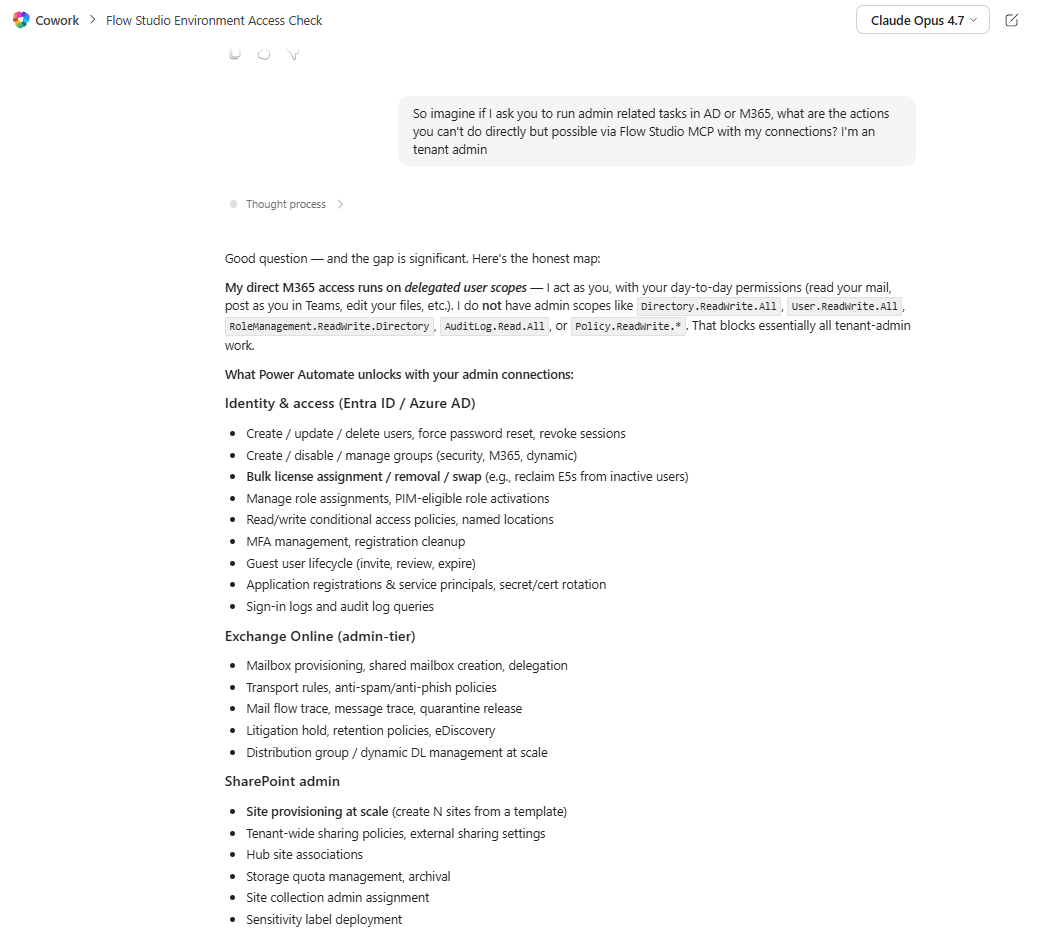
Figure: Cowork maps the admin tasks it cannot do directly but can run through a Power Automate flow: Entra ID, Exchange, and SharePoint admin.
Its closing point matched the whole thesis. Even without a specific admin connector, a flow can call any Graph or Azure endpoint: "if Graph or Azure can do it, a flow can do it."
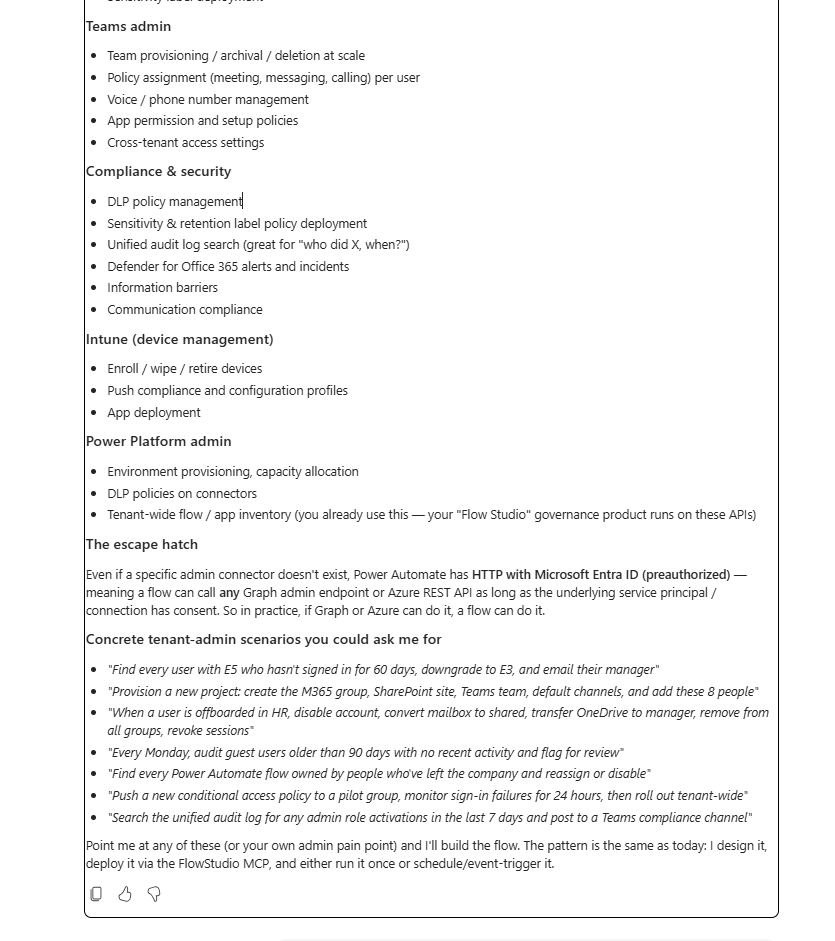
Figure: Cowork lists the tenant-admin scenarios it can reach through a flow (Teams, compliance, Intune, Power Platform), via an HTTP action with Entra auth.
What do admins actually see?
Two layers, and they stack.
Microsoft Purview already audits Cowork plugin interactions as Copilot activities. That tells you an agent acted. Power Automate adds the part Purview does not have: per-action inputs and outputs in run history, 28-day retention by default, extendable in Dataverse. The flow's owner and co-owners can open a run and see exactly what data went into each step and what came out, and resubmit it if needed. An admin who wants that detail gets added as a co-owner.
The flow also stays inside Power Platform governance. DLP connector classification still applies, so IT decides which systems any agent-built flow can touch. And the agent runs as the signed-in user, so it can only reach the flows and connections that person can already reach.
Why a flow instead of a dedicated plugin?
- Cowork connector calls must return in under 30 seconds. Long-running or retry-prone work belongs in a flow the agent kicks off. The agent stays responsive while the flow does the work with full run logging.
- Cowork plugins must be internet-reachable HTTPS MCP servers. Power Automate reaches on-prem systems through the on-premises data gateway. The helper flow bridges the gap.
- One plugin to deploy and govern instead of one per system.
So Cowork gives the user-facing agent experience, and Power Automate gives the execution surface. FlowStudio MCP gives the agent a way to build, run, inspect, and debug the flows in between.
Try it
The FlowStudio MCP plugin is on the Microsoft Marketplace. An admin deploys it once and it shows up for everyone. No per-user install, no API key. Each person signs in once at mcp.flowstudio.app to claim the free Starter plan, which is enough to evaluate the whole pattern. Setup steps are at learn.flowstudio.app/mcp-cowork-setup.
Not sure Cowork is the right agent for your situation? See Which AI Agent Should You Use With FlowStudio MCP?
About FlowStudio MCP: FlowStudio MCP is a Model Context Protocol server that gives AI agents action-level visibility into Power Automate. It is listed on GitHub’s awesome-copilot, the Microsoft-maintained list of recommended skills for AI coding agents. Works with Microsoft Copilot Cowork, Copilot Studio, GitHub Copilot, Claude, and any MCP-compatible agent.
Related reading:
- Microsoft Copilot Cowork now handles my Gmail and Google Sheets
- Set Up FlowStudio MCP in Microsoft 365 Copilot Cowork
- AI agents can build Power Automate flows. Debugging is the trap.
Catherine Han, FlowStudio
Microsoft, Microsoft 365, Copilot, Copilot Cowork, Power Automate, Power Platform, Dataverse, Dynamics 365, SQL Server, Intune, SharePoint, Teams, Exchange, Outlook, Word, Excel, PowerPoint, and Microsoft Purview are trademarks of the Microsoft group of companies. Salesforce, ServiceNow, SAP, Jira, Snowflake, Stripe, Twilio, Adobe Sign, DocuSign, Enosix, Harvey, LSEG, Miro, monday.com, Moody's, Morningstar, S&P Global Energy, and TeamsMaestro are trademarks of their respective owners. FlowStudio is not affiliated with or endorsed by these companies; names are used for identification only.