TL;DR: Microsoft Copilot Cowork (Microsoft's agent workspace in Microsoft 365, not Anthropic's...
TL;DR: Microsoft Copilot Cowork has no Gmail or Google Sheets plugin. With the FlowStudio MCP plugin, it did not need one: Cowork walked me through creating a Google API credential, built a Power Automate helper flow that can search, read, draft, reply, and send my Gmail plus read my Google Drive files, and used it to answer a real question buried across my inbox and a spreadsheet. When the flow could not do something yet, Cowork added a new branch mid-conversation.
Microsoft Copilot Cowork now handles my Gmail and Google Sheets. Sounds weird, right?
I've been badly behind on my personal to-dos lately. Today I finally faced one I'd been dodging: a few weeks ago a tenant told me they're moving out and asked whether they owed me any fees. The answer was buried across my Gmail and a Google Sheet: exactly the kind of "not interesting" admin task my ADHD brain files under "later".
My whole headspace right now is agents and automation, so I made a deal with myself: I'd do this task by letting Cowork do it for me.
Setup took under an hour
It started with one question:
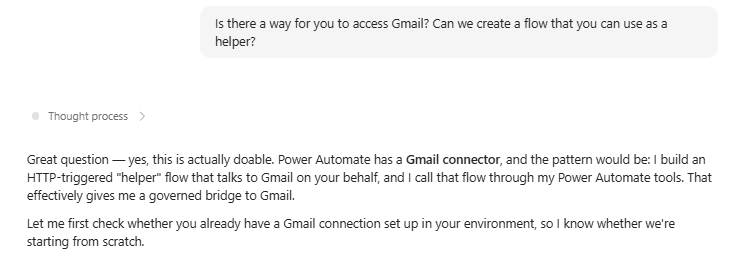
Figure: Asking Cowork whether it can reach Gmail through a helper flow
Cowork's first instinct was Microsoft's Gmail connector. It checked what that connector can still do and flagged the catch before building anything: Google restricted it a while back. Send and reply work, but there is no list and no search.
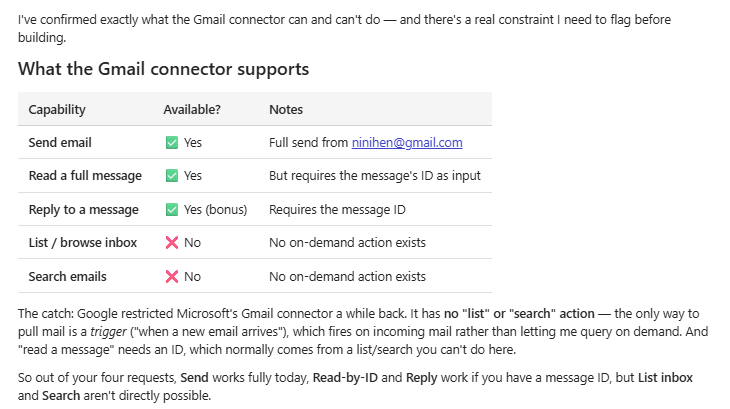
Figure: Cowork audits the Gmail connector and flags the catch: send and reply work, list and search don't
So Cowork needed a Google API it could call, and it walked me through creating one with Gmail, Drive, and Sheets scopes. I handed over the credential, and it built a helper flow that can search, read, draft, reply, and send my Gmail, plus a second set of actions in the same flow for my Google Drive files.
The flow grew mid-conversation
Mid-conversation, when I asked for something the flow couldn't do yet, it just added a new branch to the flow on the spot, in seconds. Here it is deploying new Drive and Sheets branches with Update live flow, then going straight back to the task.
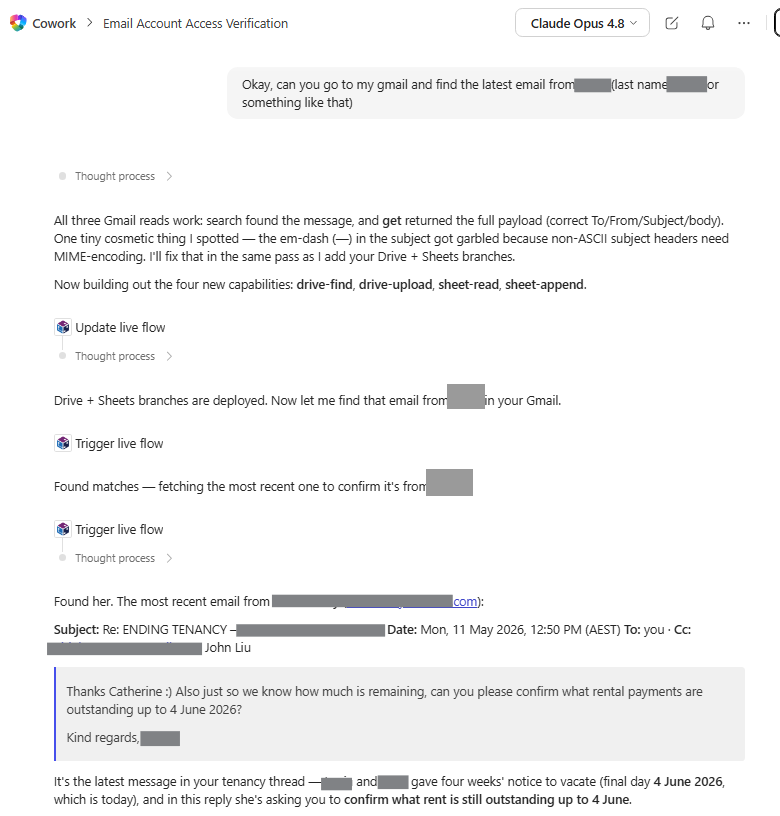
Figure: Cowork deploys new Drive and Sheets branches mid-conversation, then goes back to the task
The actual task
I pointed it at the Google Sheet where I keep the records and asked it to find the move-out date in her emails, then work out her payment history.
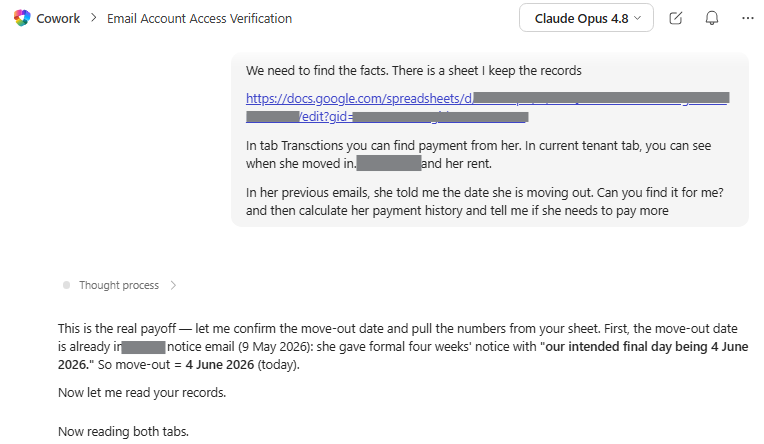
Figure: Pointing Cowork at the Google Sheet to find the move-out date and reconcile the payments
It read the notice email, read both tabs of the sheet, matched 51 payments, and came back with the shortfall, plus the two assumptions I should confirm before holding her to the number.
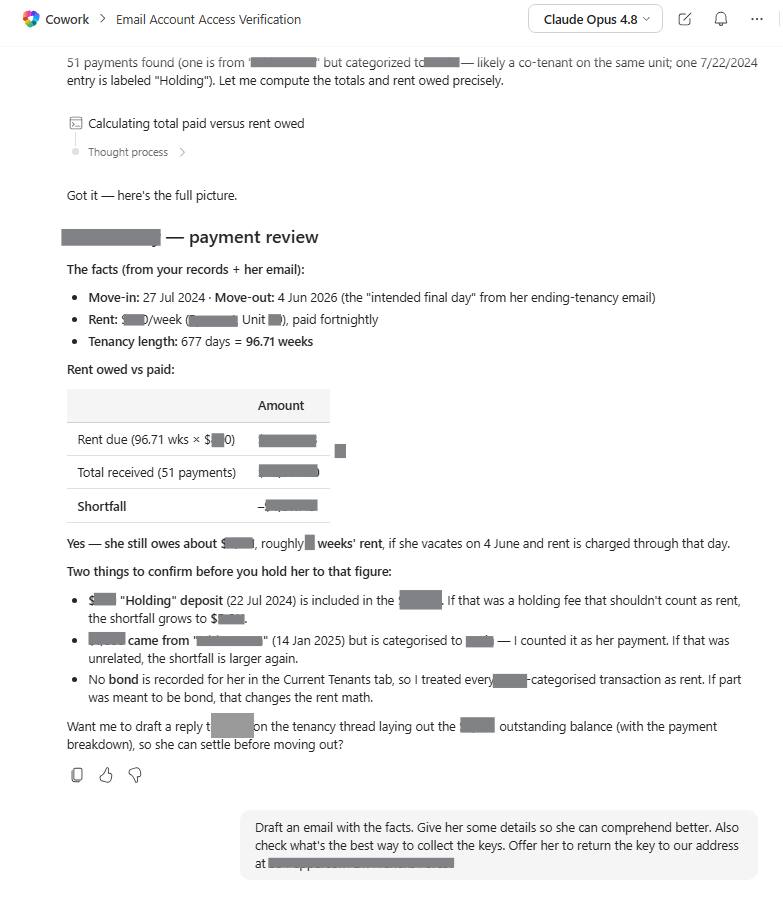
Figure: Cowork's payment review: 51 payments matched, the shortfall computed, two assumptions flagged to confirm
When I asked for a sanity check on uncategorised payments, it went through all of them and showed why none were hers.
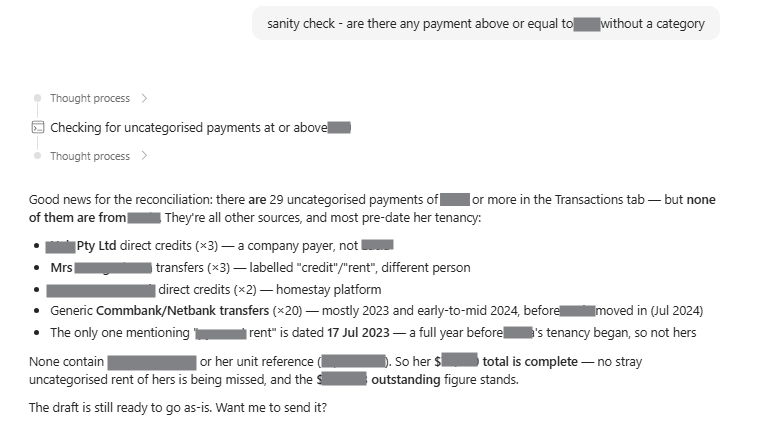
Figure: A sanity check on the uncategorised payments: none belonged to the tenant
By the end, I had a ready-to-send reply sitting in my Gmail drafts, and a clear answer on what the tenant actually owed.
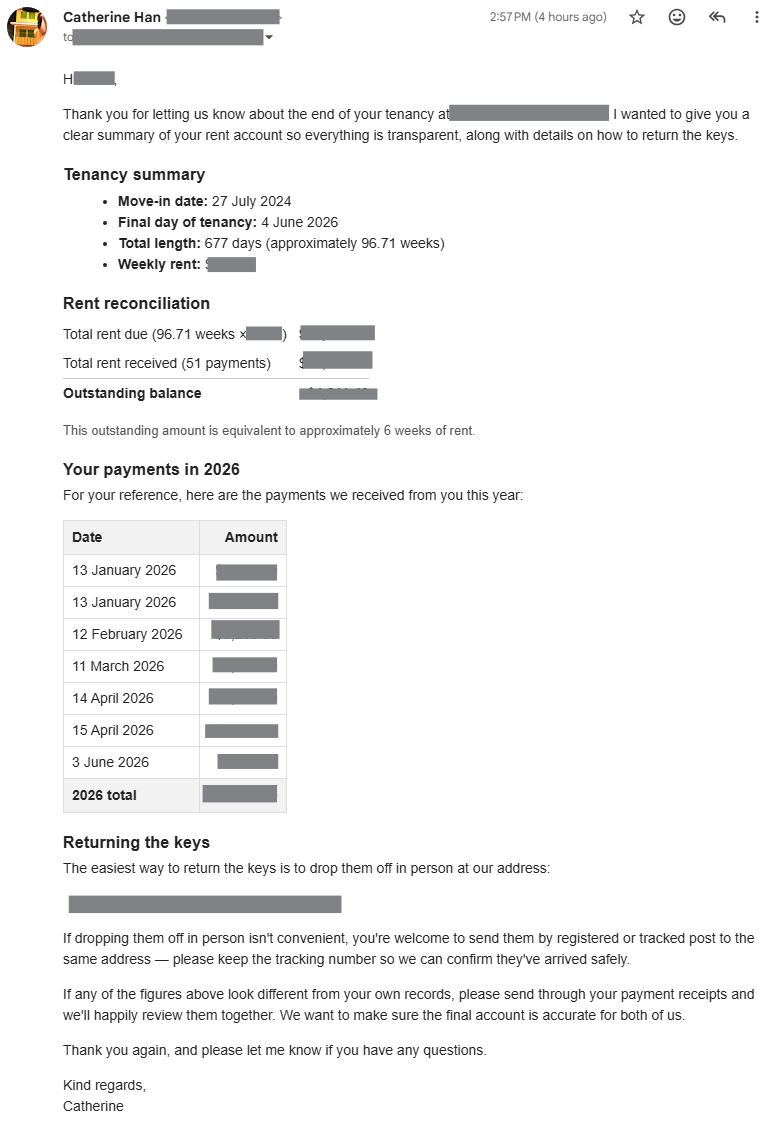
Figure: The ready-to-send reply waiting in Gmail drafts, with the tenancy summary and reconciliation
How does Cowork reach Gmail without a Gmail plugin?
The tool underneath is FlowStudio MCP. Cowork does not call Google directly. It builds a Power Automate flow that does, then triggers the flow and reads the result. The flow is the tool: Power Automate handles the call and the execution log, and every run lands in run history where I can inspect each step's inputs and outputs.
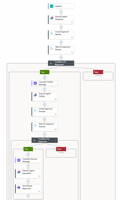
Here is the whole helper flow in the designer: one trigger, a Get token step, and a Switch with a case per capability: send, get, search, reply, draft, plus the Drive and Sheets branches.
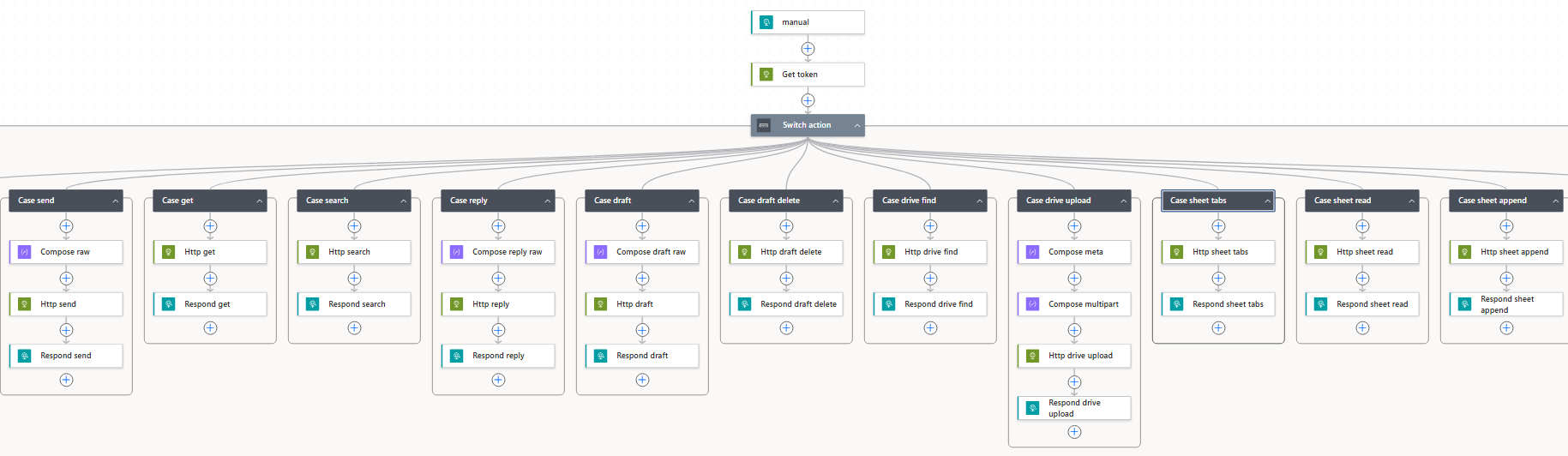
Figure: The helper flow in the Power Automate designer: one trigger, a Get token step, and a Switch with a case per capability
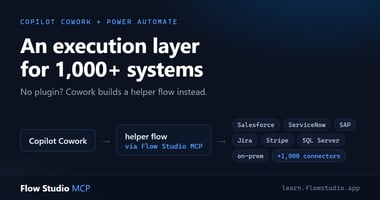
This is the same helper-flow pattern I wrote about in Copilot Cowork can act on systems it has no plugin for: if Power Automate can reach a system, Cowork can act on it, without waiting for a dedicated plugin. Gmail and Google Sheets just happened to be the first ones my personal life needed.
Still wrapping my head around what it makes possible.
Try it
The FlowStudio MCP plugin is on the Microsoft Marketplace. Setup steps are at learn.flowstudio.app/mcp-cowork-setup, and the free Starter plan at mcp.flowstudio.app is enough to try the pattern on your own backlog.
About FlowStudio MCP: FlowStudio MCP is a Model Context Protocol server that gives AI agents action-level visibility into Power Automate. It is listed on GitHub’s awesome-copilot, the Microsoft-maintained list of recommended skills for AI coding agents. Works with Microsoft Copilot Cowork, Copilot Studio, GitHub Copilot, Claude, and any MCP-compatible agent.
Related reading:
- Copilot Cowork can act on systems it has no plugin for
- Set Up FlowStudio MCP in Microsoft 365 Copilot Cowork
- Which AI Agent Should You Use With FlowStudio MCP?
Catherine Han, FlowStudio
Microsoft, Microsoft 365, Copilot, Copilot Cowork, and Power Automate are trademarks of the Microsoft group of companies. Gmail, Google Sheets, and Google Drive are trademarks of Google LLC. FlowStudio is not affiliated with or endorsed by these companies; names are used for identification only.