
FlowStudio MCP: Copilot Skills for Power Automate
Agent skills for FlowStudio MCP, pre-built instruction bundles that teach Copilot, Claude, and other agents how to debug, build, monitor, and govern Power Automate flows with FlowStudio MCP.
For setup focused on GitHub Copilot specifically, see GitHub Copilot for Power Automate with FlowStudio MCP.
What are Copilot agent skills?
Agent skills are instruction files that teach GitHub Copilot how to perform specific tasks. When you install a skill, Copilot gains the knowledge to use FlowStudio MCP for debugging, building, operating, monitoring, and governing Power Automate flows. You describe what you want in plain English, and Copilot follows the skill's step-by-step recipes to get it right.
The five skills
FlowStudio provides five skills, each focused on a different workflow:
| Skill | What it teaches Copilot | You would use it when |
|---|---|---|
| power-automate-mcp | How to connect to and operate flows, list, read, trigger, resubmit, cancel, inspect connections | Any Power Automate task, this is the foundation skill |
| power-automate-debug | A step-by-step diagnostic process for finding and fixing flow failures | A flow is broken and you want Copilot to find the root cause and fix it |
| power-automate-build | How to construct valid flow definitions with the right action patterns, triggers, and connection references | You want Copilot to create a new flow or modify an existing one |
| power-automate-monitoring | How to read aggregated flow health, failure rates, and tenant-wide inventory from the FlowStudio cached store, fast, no PA API rate-limit pressure | You need a tenant-wide health overview, want to find failing flows, check maker activity, or inventory environments and Power Apps. Requires a FlowStudio for Teams or MCP Pro+ subscription. |
| power-automate-governance | How to classify flows by business impact, detect orphans, audit connectors, manage notification rules, and write governance metadata at scale | You're running CoE-style governance, tagging flows, assigning ownership, computing archive scores, offboarding makers, generating compliance reports. Requires a FlowStudio for Teams or MCP Pro+ subscription. |
The power-automate-mcp skill is the foundation, install it first. The other four skills extend it with specialized knowledge: debug and build for individual makers fixing or creating flows, monitoring and governance for CoE / admin workflows operating across the whole tenant. Monitoring and governance require a FlowStudio for Teams or MCP Pro+ subscription.
Installation
- Go to the FlowStudio MCP Skills repository on GitHub
- Copy the skill folder(s) you want from
skills/in the repo into your project’s .github/skills/ directory. The folder names are:power-automate-mcp/(foundation),power-automate-debug/(diagnostics),power-automate-build/(flow creation),power-automate-monitoring/(health and inventory, Pro+), andpower-automate-governance/(classification and compliance, Pro+) - Configure the FlowStudio MCP server in VS Code if you haven’t already, see Getting Started with FlowStudio MCP
Each skill folder contains a SKILL.md file (the instructions Copilot reads) and a references/ folder with supporting documents.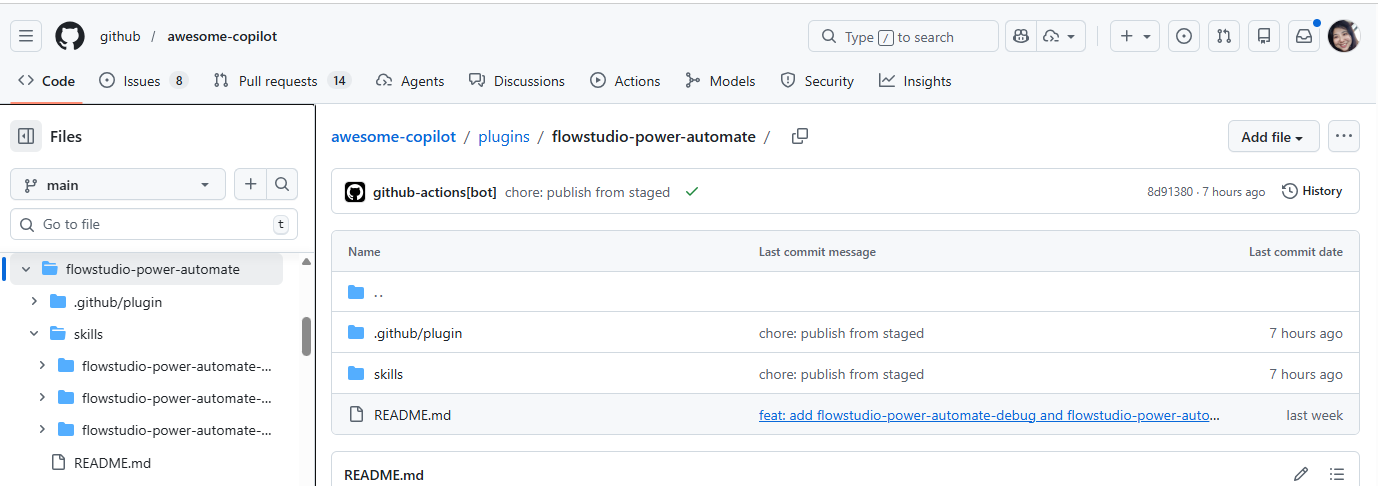 Figure: A skill folder: the SKILL file Copilot reads, plus a references folder of supporting documents.
To update skills to the latest version, re-copy the folders from the repository. The skills repo is regularly updated with improved prompts and new capabilities.
Other ways to install
The manual copy method above works for any agent. If you use VS Code or Claude Code, there are faster options:
| Method | What you get | How to install |
|---|---|---|
| VS Code Extension | MCP server connection + all three skills, auto-registered with Copilot Chat. API key stored in OS keychain. Multi-tenant support. | Open VS Code → Extensions → search "FlowStudio MCP" → Install |
| Claude Code Extension (one-click) | All 5 skills (mcp, debug, build, monitoring, governance) plus the MCP server connection, with no terminal commands. VS Code is only the setup tool, the extension writes to ~/.claude/, so the connection works wherever Claude Code runs (VS Code, terminal, Desktop). Open VSX mirror available for Cursor / VSCodium / Windsurf. |
Open VS Code → Extensions → search "Power Automate MCP for Claude Code" → Install. Then run FlowStudio (Claude): Add Tenant Connection from the command palette. |
| Claude Code Plugin (CLI) | Same 5 skills and MCP connection as the extension, installed from the terminal, no editor required. Works for Claude Code in terminal, Desktop, or any editor. Use this if you don't run VS Code / Cursor / VSCodium / Windsurf, or if you just prefer the CLI. | git clone https://github.com/ninihen1/power-automate-mcp-skills.gitclaude --plugin-dir ./power-automate-mcp-skillsthen claude mcp add for the MCP server |
| Manual copy (any agent) | Skill folders in your project. Works with any MCP-compatible agent. | Copy from GitHub into .github/skills/ (see above) |
Where to find them
The skills are distributed in two places:
- FlowStudio MCP Skills repo, github.com/ninihen1/power-automate-mcp-skills. The canonical source for all 5 skills, including monitoring and governance. Use this repo if you want every skill.
- GitHub awesome-copilot, Microsoft's official curated directory. Lists all 5 skills: mcp, debug, build, monitoring, and governance, plus the FlowStudio plugin.
Note that on awesome-copilot the skill folder names are prefixed (flowstudio-power-automate-mcp, etc.) to namespace them in the shared directory. In the canonical FlowStudio MCP Skills repo the folder names are unprefixed (power-automate-mcp, etc.), both contain the same SKILL.md content.
The underlying SKILL.md files follow the agentskills.io specification, an open standard for distributing agent skills. Any MCP-compatible agent can read them, including Microsoft Copilot Studio, Claude, Codex, and custom agents that support the Model Context Protocol.
Troubleshooting
|
Related guides
- Getting Started with FlowStudio MCP, Setup for all agents (Copilot Studio, GitHub Copilot, Claude, Codex)
- Debug Power Automate Flows with MCP, Detailed debugging walkthrough
- Build Power Automate Flows with MCP, Detailed build walkthrough
- MCP Tools Reference, Complete tool catalog
FlowStudio is an independent product and is not affiliated with, endorsed by, or sponsored by Microsoft Corporation. Microsoft, Power Automate, Power Platform, and Copilot are trademarks of the Microsoft group of companies.